ReShot by Maosika: open-source depth motion capture for Seedance and MiniMax H3 — turn any reference video into a depth map, copy the shot, not the actors
Why a depth map lets a video model copy choreography and camera moves without copying faces, the four engineering decisions that make the output usable, which machines can run it, and how to install it in two lines
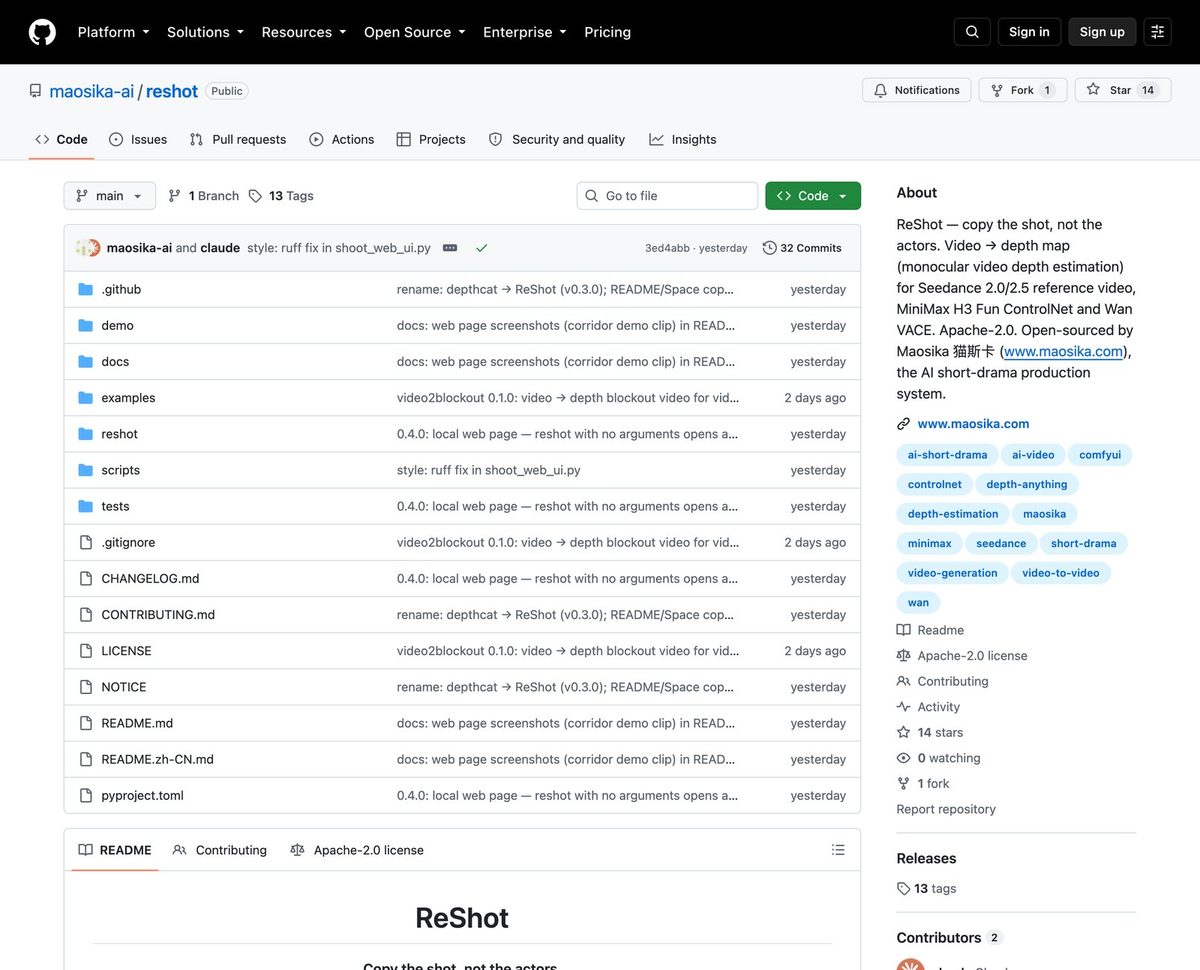
Maosika (www.maosika.com) has open-sourced ReShot, a complete pipeline for what the AI video community has been calling the "depth map trick" or *depth motion capture*. Apache-2.0, including the model weights, free for commercial use.
A reference video goes in; a depth-map video comes out — near is white, far is black. Hand that grey clip to Seedance 2.0 or MiniMax H3 as the reference video, and the model repeats the choreography and camera moves with your own characters, costumes and art style.
Let's look at the evidence first.
Top left is a corridor fight: one person kicks off the wall, tears a pipe loose, fights a ring of guards in black, gets bear-hugged from behind by the biggest one, throws him, and walks out the door wiping his mouth.
Top right is its depth map.
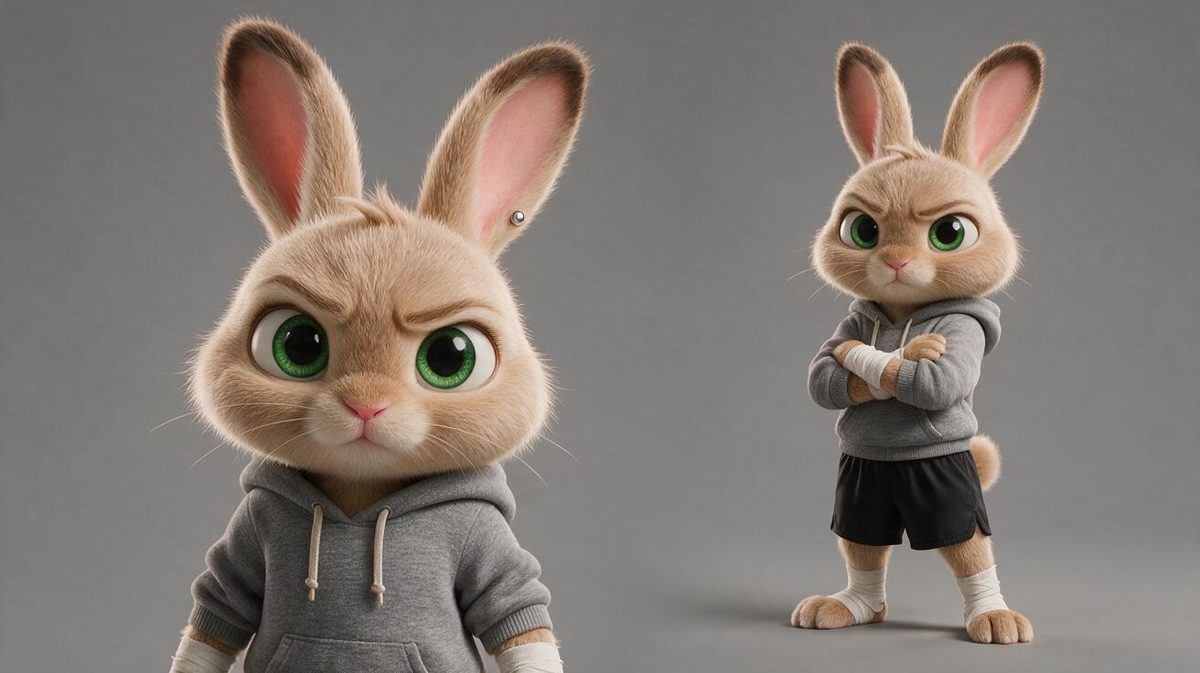
The bottom row is three takes generated from that depth map — an armoured warrior, a woman in a qipao, and a cartoon rabbit in boxing gloves. Faces, clothes and style are all different, yet the wall kick, the bear hug and the walk out the door land on the same frames and the same camera positions as the reference.
The rabbit take is the telling one. In the reference, the guard who grabs from behind is the tallest of the group; in the rabbit take, the one who grabs is the bear — the biggest of its three opponents (wolf, tiger, bear). The model never saw a face. It read "who is biggest" from the volumes in the grey shapes.
The three generated clips and their full prompts are in the GitHub repository, unedited.
What depth motion capture is, and why everyone started using it
Seedance 2.0 has supported reference video since early 2026: upload a clip and it copies the motion and camera work.
People quickly hit a wall. Feed it the original clip and the model copies the faces, the clothes, the lighting and the room along with the moves — the result is obviously somebody else's shot. If the clip has real people in it, the platform's content check may reject the reference outright.
Then someone tried converting the clip to a depth map first and feeding *that* as the reference.
A depth map encodes, per pixel, how far that point is from the camera. Convert a whole clip and what's left is a set of grey volumes: no faces, no clothes, no colour, no background texture. Only four things survive — where everyone stands, how big they are, how they move, and how the camera moves.
Given that grey clip, the model can only copy those four things. Faces and clothes have to come from your prompt and your reference images.
That's depth motion capture. The dance-copy, fight-copy and parkour-copy videos that flooded social feeds over the last two months are all this one trick. ComfyUI has community workflows for it; online converters and templates popped up everywhere.
It matters beyond being a trick. Controllability has always been the hardest part of video generation: text can't pin down motion, and a raw clip pins down too much. A depth map is the first thing that cleanly splits *how things move* from *what things look like* into two separate inputs — motion from the depth map, appearance from images and text. It is ControlNet-style depth control, finally working for video.
The problem: until now this lived either behind paid online services or inside hand-wired ComfyUI graphs where you find the model and tune the parameters yourself.
We built the whole pipeline and released it.
What ReShot actually does
ReShot is not a "run a depth model" script. It covers every step between a reference clip and a depth-map video that the target model will accept, with three entry points.
Web page. Type reshot in a terminal and a page opens in your browser. Drop the clip in, choose the target model, click once. You get the reference and the depth map side by side, the numbers, a download button, and the prompt line to paste into Seedance or MiniMax H3. Everything runs on your own machine; nothing is uploaded.
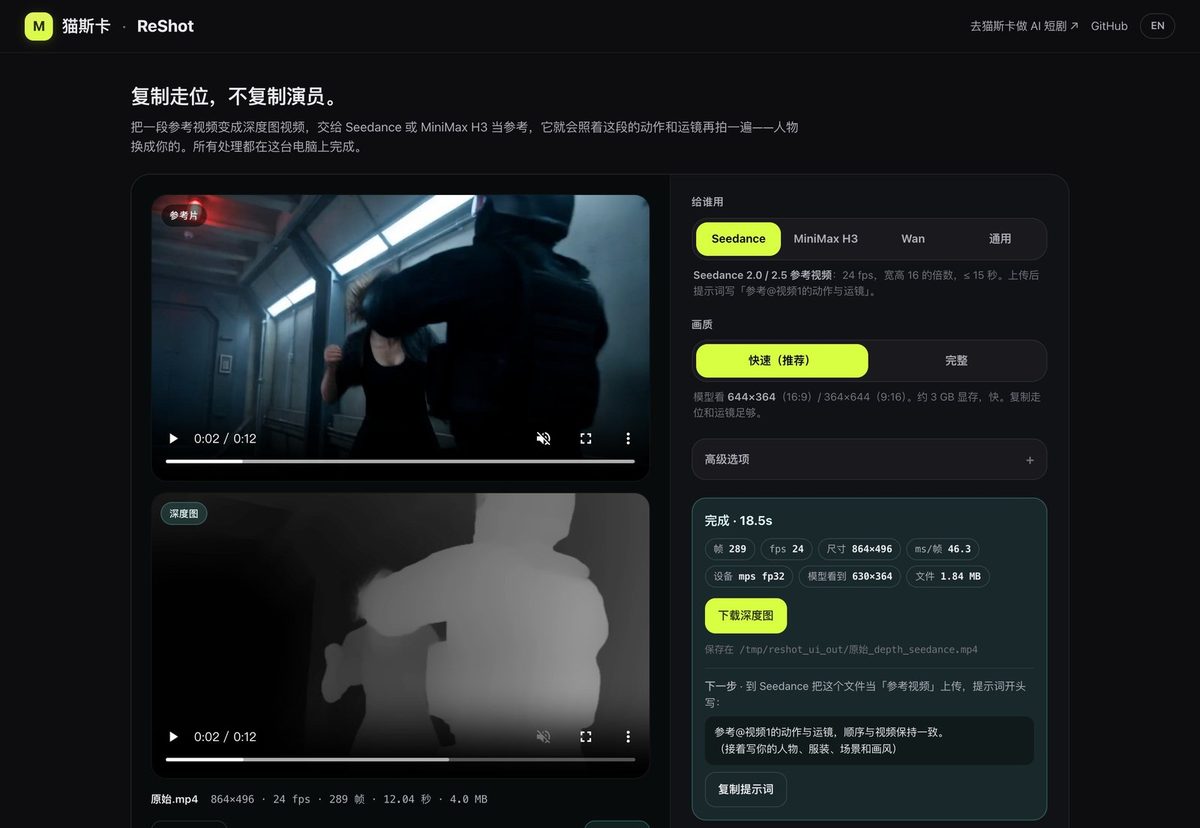
Command line. reshot reference.mp4 -o depth.mp4 --target seedance. Point it at a folder and the model loads once for the whole batch.
ComfyUI. Two nodes — one takes video and returns video, one takes an image sequence and returns an image sequence — placed between Load Video and your video model.
Three presets match three models' reference-video rules: seedance produces 24 fps, edges aligned to multiples of 16, at most 15 seconds; h3 targets MiniMax H3 (multiples of 32); wan targets Wan 2.1 VACE. You don't have to read any vendor's documentation.
Four engineering decisions that make the output usable
Anyone can extract a depth map. Whether the result is usable is a separate question. ReShot makes four trade-offs, each backed by measurements.
1. A video depth model, not an image depth model. Most online converters split the video into frames, run an image depth model on each, and stitch the frames back. Every frame gets its own black/white scale, so the clip flickers — a person standing still has jumping grey values, and the video model reads a jittering person. ReShot runs on Video Depth Anything, which is built for video: it looks at 32 frames at a time with a 10-frame overlap between windows and uses temporal attention to keep depth consistent across frames. A person standing still stays the same grey.
2. Normalise once over the whole clip. The model outputs relative depth, which has to be squashed into 0–255. ReShot normalises the entire clip as one unit: the nearest point in the whole video is white, the farthest is black, and every frame shares the same ruler. Someone walking from the far end of a corridor toward the camera brightens continuously instead of being re-stretched every frame.
3. Resample by timestamp; crop, never pad. The reference might be 30 or 60 fps; Seedance wants 24. ReShot resamples by timestamp rather than dropping every Nth frame, so action beats don't drift. When edges have to be aligned to a multiple of 16, it crops — it never pads with black, because black bars read as "a ring of the farthest thing in the scene" and skew the whole clip's scale.
4. Decouple inference resolution from output resolution, and budget memory before running. The model sees a downscaled frame; the output depth map is the original size. The default tier uses about 3 GB of VRAM; cards with 12 GB or more can switch to the "full" tier for sharper fine edges. Measured on the same clip, the two tiers differ by 5 grey levels on average and 95% of pixels are within 15 — fine contours differ, the large shapes a video model needs are identical. Before running, ReShot estimates peak memory as 2 GB + 20 bytes × pixels × frames (fitted on six points on an RTX 4090, residual under 50 MB) and refuses up front if that exceeds half the machine's RAM, instead of freezing your computer halfway.
Consumer GPUs, Apple Silicon, even CPU
| Machine | Runs? | Measured |
|---|---|---|
| 8 GB NVIDIA card (RTX 3070 / 4060 class) | Yes | Default tier, ~3 GB VRAM |
| RTX 3080 Ti / 4090 | Yes, both tiers | 34 ms per frame; a 12-second clip in about ten seconds |
| Apple Silicon Mac | Yes | M2 Max: 46 ms per frame; a 12-second clip in 18 seconds |
| No GPU | Yes, slowly | About 2 s per frame; a 12-second clip in roughly ten minutes |
Is the downscaled inference resolution enough? Yes — the depth maps we fed MiniMax H3 for the three takes above were much smaller than the default tier, and the fights still landed.
Install and use
Install. On any machine with Python:
pip install "reshot[ffmpeg]"
reshot
The second line opens the web page. The model weights (111 MB) download on first run. In mainland China, set a mirror first: export HF_ENDPOINT=https://hf-mirror.com.
No Python set up? Paste this into Claude Code, Codex or Cursor and let the agent do it:
Install ReShot (the "reshot" package on PyPI) on this machine. Read https://raw.githubusercontent.com/maosika-ai/reshot/main/docs/AGENT_INSTALL.md and follow it: detect OS and GPU, install the matching PyTorch, pip install "reshot[ffmpeg]", then run a short test clip.ComfyUI users install the ComfyUI-ReShot node pack; two example workflows ship with it.
For Seedance: upload the depth map as the reference video and start your prompt with "follow the motion and camera of @video1 in the same order", then describe your characters, costumes, setting and style.
For MiniMax H3: attach the depth map as <Video 1> and your character sheet as <Picture 1>, retell in words what happens in the grey clip, and state explicitly that the grey look itself should not be copied — otherwise it may hand you a grey film.
That is exactly how the three takes above were made.
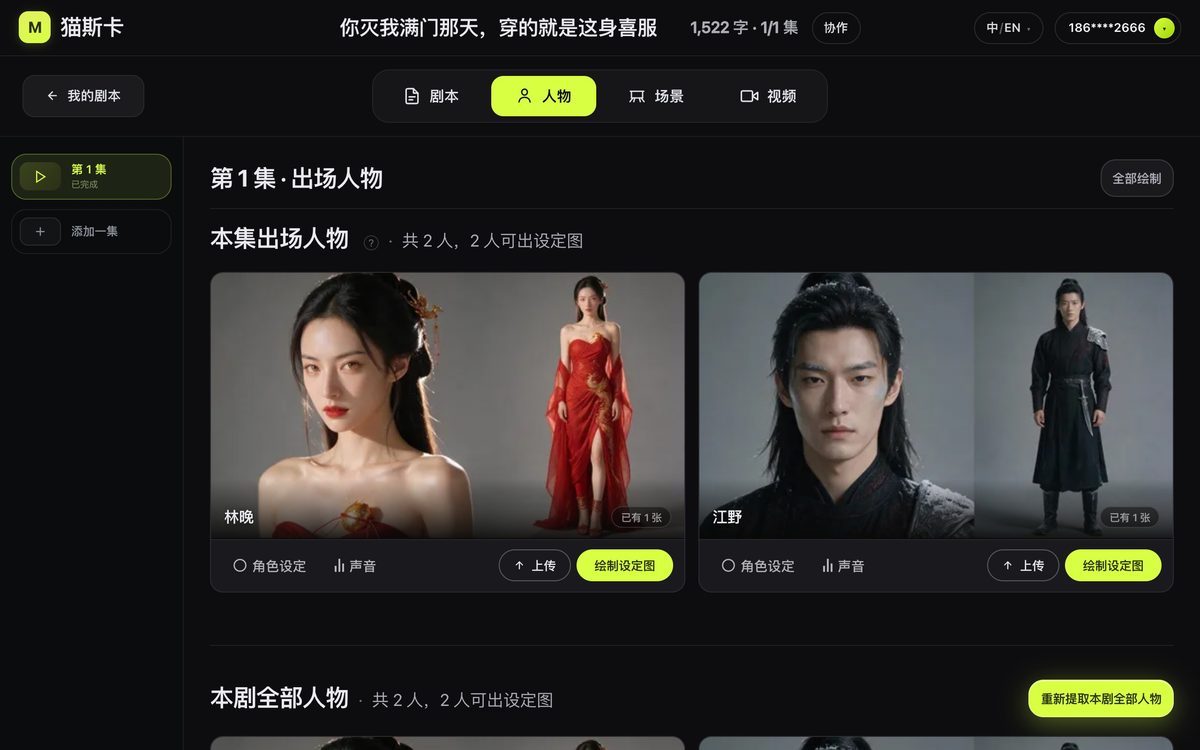
The warrior Jiang Xue and the qipao-wearing Su Wan had their character sheets generated automatically on Maosika — nobody wrote a prompt or wired a node.
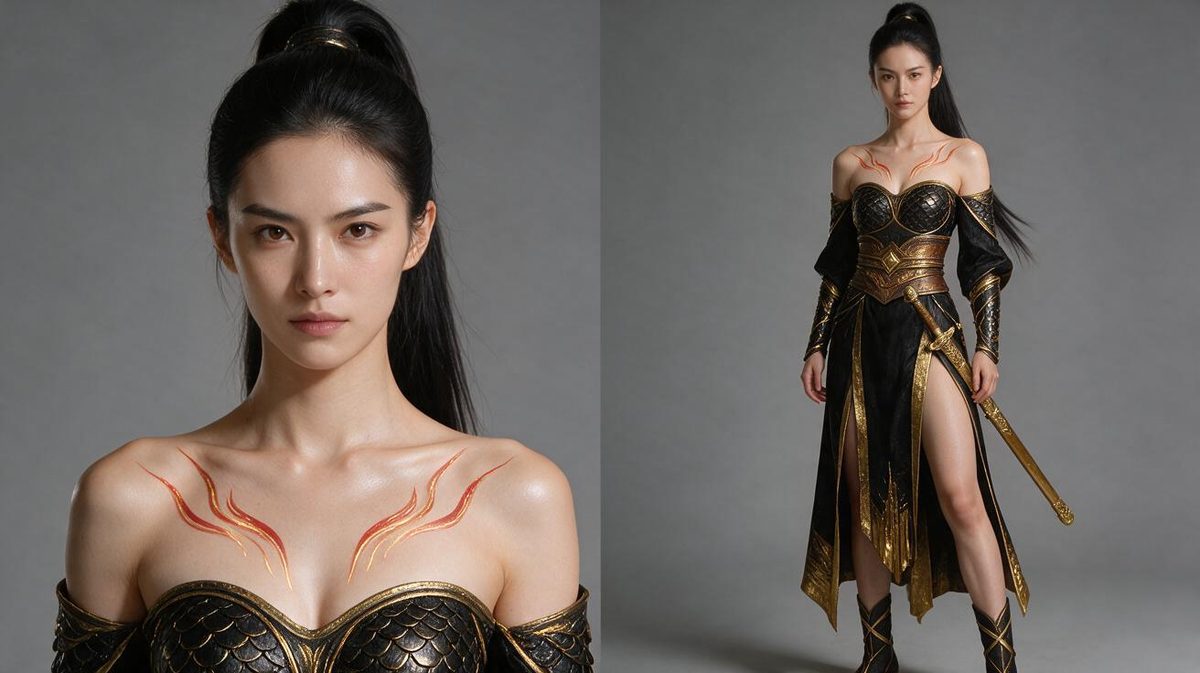
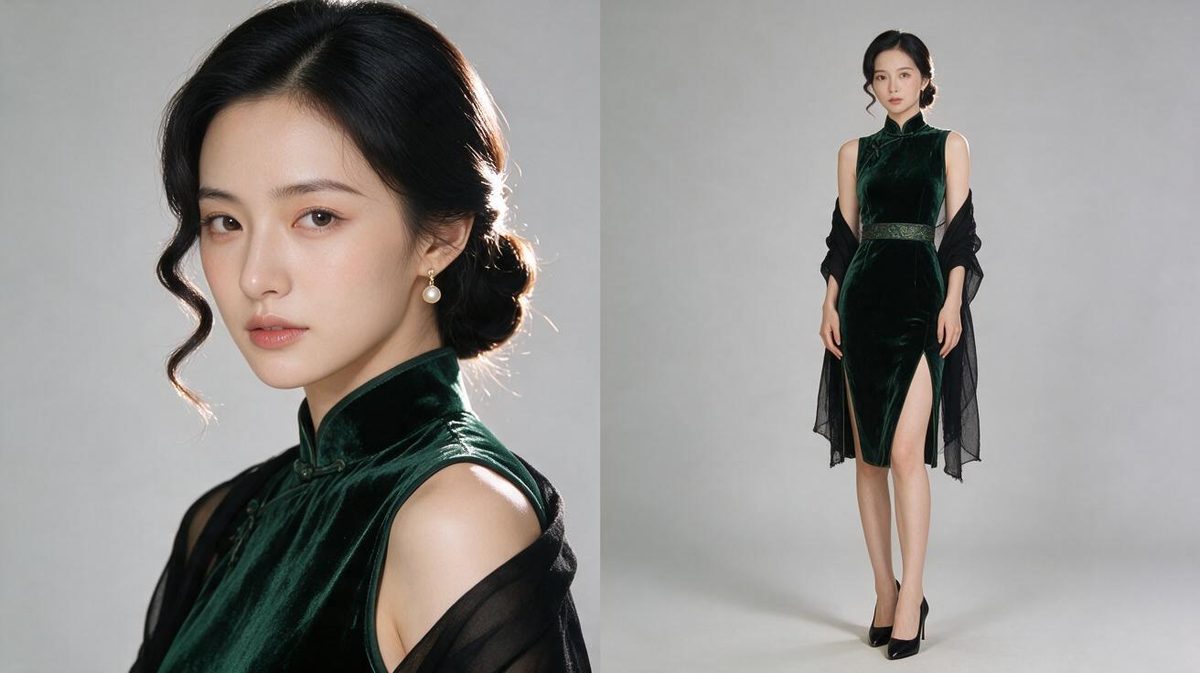
Honestly, I didn't expect the qipao take to hold up — a slit that high is exactly where a wall kick clips through the mesh. It held: the leg lifts, the slit follows the hem, and after landing the dress is still that dress.
One flaw worth naming: in all three takes the guard being thrown smears into a black blur — black clothing plus a fast tumble is a known weakness of every video model. But the timing of the throw, where people stand afterwards, and the follow-up slam into the wall panel all match the reference; the qipao take even throws sparks on the impact.
Why open-source it
Maosika (www.maosika.com) is an AI video production system for short drama and short video. It takes a one-line idea and carries it through episodic scripts, character sheets, scene images and a per-shot video prompt for every scene, all the way to rendered footage — with Seedance and MiniMax H3 as the video engines. Individual screenwriters, MCN agencies and short-drama studios use it every day.

Inside Maosika, what gets locked down is who: every scene is bound to specific character sheets and scene images, and characters with reference images are no longer described in text — faces and costumes are held by the images.
ReShot locks down how they move.
Put the two together and both the people and the action in a scene are pinned; what's left for the video model to decide is light and style.
We don't think the depth-capture step belongs behind anyone's paywall. It's infrastructure the whole field can use — build it properly once and everyone saves time. So the model selection, the memory model, the three vendor presets, the web page and the ComfyUI nodes all go out together under Apache-2.0.
Links
- Source code: github.com/maosika-ai/reshot (Apache-2.0, English and Chinese README)
- ComfyUI nodes: github.com/maosika-ai/ComfyUI-ReShot
- Hugging Face: huggingface.co/spaces/maosika/reshot
- PyPI: pypi.org/project/reshot —
pip install reshot - Maosika, the AI short-drama production system: www.maosika.com
If it works for you, a star helps. If a vendor changes its reference-video rules, open an issue and we'll update the preset.
About Maosika — Maosika · Professional AI Video Production System. It connects briefing, scripting, look development, shot prompts and delivery into one reviewable pipeline. www.maosika.com